
Copy, Print & Fax
Copying
A self-service coin-operated photocopier with a document feeder is available.
Copying is self-service and costs $0.25/page. Double-sided copies are $.0.50/page. Black and white only.
The attached payment machine accepts credit cards, nickles, dimes, quarters, one-dollar bills and five-dollar bills. Credit card maximum is $20.00 per transaction.
Change is dispensed only after copies are made.
No Refunds – Refunds cannot be given for copies. Ask staff for assistance using copy machines if needed.
No Receipts – Library staff cannot provide receipts for copies.
Printing
Printing is self-service and costs $0.25/page. Double-sided prints are $.0.50/page. Black and white only. The attached payment machine accepts credit cards, nickles, dimes, quarters, one-dollar bills and five-dollar bills. Credit card maximum is $20.00 per transaction.
Printing from library computers
Printing is available from all library computers.
Wireless printing/printing from your own device (e.g. a smartphone, tablet, laptop, computer at home, etc.)
Scan this QR code or visit the library’s Wireless Printing Webpage to begin wireless printing:
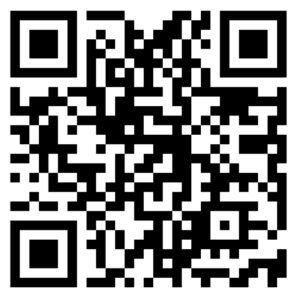
The library now has a wireless/cloud printing option named Cybrarian AirPrinter that allows you to print from your own device. We will no longer print documents sent to lawlib@acgov.org.
To print from your own device, go to the library’s Wireless Printing Webpage and upload and submit your files to be printed.
If printing an email message or email attachment from your mobile device like a smartphone or tablet, you will first need to Save or Share the message or attachment to the “Files” folder on your smartphone before you can upload it to AirPrinter.
Save your Release Station ID or Print Job ID to be able to release your prints.
Releasing your prints:
After printing from a library computer or your own device, you need to go to the Print Release Station computer, located to the right of the Reference Desk, to release your print jobs and pay for your prints. Enter your library card barcode number, guest slip number, Release Station ID, or Print Job ID on the Print Release Station screen to view your queued print jobs. Insert payment in the payment machine located next to the photocopier, select the documents you want printed on the Print Release Station screen, and press the Print button. Press down on the silver plunger on the payment machine when you’re done to release any change or to end your credit card session.
No Refunds – Refunds cannot be given for printouts. Ask staff for assistance with self-service printing if needed.
No Receipts – Library staff cannot provide receipts for print jobs.
Faxing
The library charges $2.50/page to send a fax, and $1.00/page to receive a fax. A free cover sheet is provided.
Faxing service is available at the Reference Desk. The library’s fax number is (510) 208-3907.